
Fault Isolation in Charlotte, NC
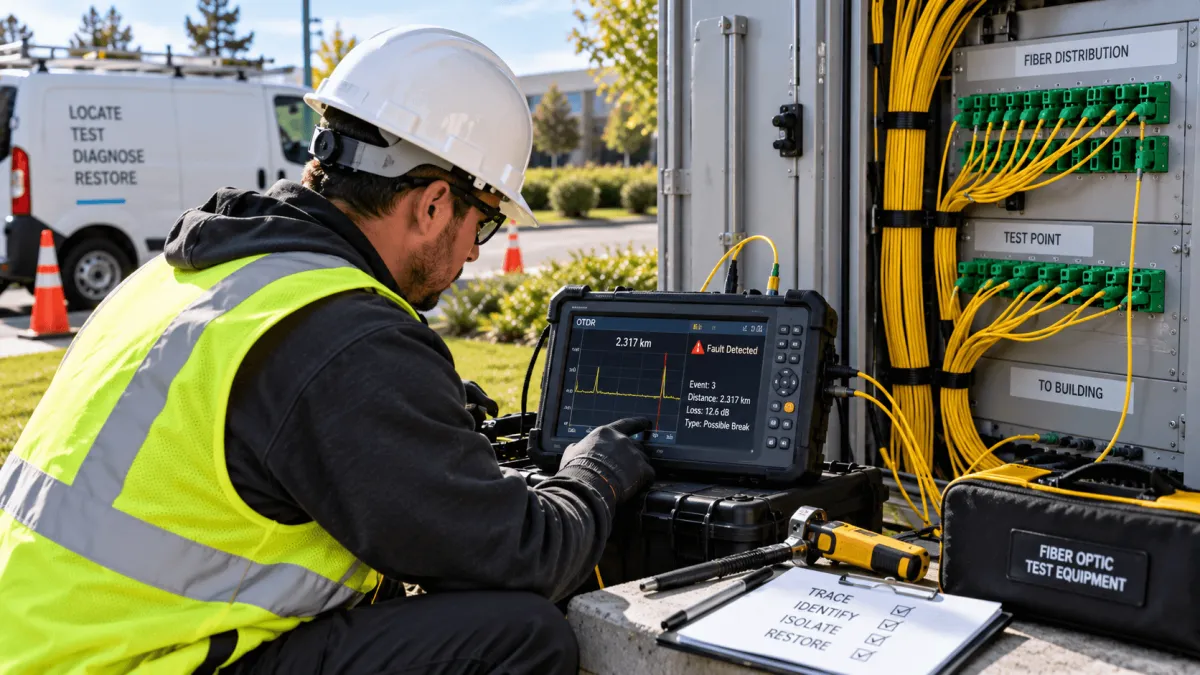
A fiber tester will tell you a line is down. It will even tell you, roughly, how far away the problem is. What it won't do is tell you which splice enclosure it's in, whether the damage is a clean break or a slow-failing connector, or what it will actually take to fix it. That gap between “something's wrong out there” and “here's exactly what's wrong and how we fix it” is fault isolation — and it's a different skill than owning the equipment that flags a fault in the first place.
What Usually Causes a Fault
Accidental Cuts
The single most common cause — often from excavation nearby, even work unrelated to the fiber line itself.
Animal Damage
Rodents and wildlife can chew through cable jacketing over time.
Connector or Splice Failure
Splice points and connectors degrade, especially where water intrusion has occurred.
Bend Stress
Cable bent tighter than its minimum bend radius, often from an install years earlier, can fail gradually.
Aging Infrastructure
Older cable and connectors are simply more prone to failure than a recent install.
Testing Tells You There's a Problem — Isolating Tells You What to Do About It
A basic fiber tester works by sending a light pulse down the line and measuring how long it takes to reflect back, which gives a rough distance to the fault.
Test
Identify that a fault exists and get a rough distance to the problem.
Isolate
Cross-reference the reading with the physical route and as-built records to pinpoint the damage.
Repair
Confirm the exact location and nature of the damage so the right repair can be completed.
That's useful as a first signal, but it's rarely precise enough to send a crew to the right spot, and it says nothing about the type or severity of the damage.
Isolating the fault means taking that rough reading and turning it into something actionable — cross-referencing it against the physical route and as-built records, walking the affected section when needed, and confirming the exact point and nature of the damage before anyone starts repair work.
The difference is simple: knowing a fault exists versus knowing what to actually send a crew to fix.
How We Find It
OTDR Testing
Measures the exact distance to a fault by timing reflected light, giving a precise starting point rather than a rough estimate.
Visual Fault Location
Uses a visible laser to physically confirm a fault's location on shorter runs, useful for pinpointing damage a technician can see directly.
Route Verification
Cross-references test results against as-built documentation and, when needed, physically walks the route to confirm the exact point of failure.
When Every Hour Counts
A fiber fault rarely happens at a convenient time. A business that can't process payments, a property that's lost connectivity across multiple buildings, or a campus network split in half by one bad splice — all of it has a real cost that grows with every hour the line stays down.
Locate
Pinpoint the exact location of the fiber fault.
Assess
Determine the damage and what is required to restore the connection.
Repair
Complete the repair and get the network back in service.
Our technicians locate the fault, assess what it will take to repair, and complete the fix in the same visit whenever possible, rather than treating diagnosis and repair as two separate appointments on two separate days.
FAQs on Fiber Optics Installation
How is fault isolation different from just running a fiber test?
A test tells you a fault exists and roughly how far away. Isolating the fault means pinpointing its exact location and determining what repair it actually needs — the step that makes the test result useful.
Can the fault be repaired the same day it's found?
In most cases, yes — our technicians are equipped to complete the repair in the same visit once the fault is located and assessed.
What information should I have ready when I call?
Any test results you already have, the approximate location or building affected, and when the outage started all help us respond faster.
Do you offer emergency response for fiber outages?
We prioritize fault isolation calls given the cost of downtime — call (336) 210-5445 to discuss the situation and get on the schedule as quickly as possible.
Can you isolate a fault on a line you didn't originally install?
Yes. We can assess and isolate faults on existing fiber infrastructure regardless of who performed the original installation.
How do I get a quote for fault isolation service?
Call (336) 210-5445 to describe the issue, and we'll schedule a technician to diagnose and repair the fault.
Get Connected with American Broadband Networks Today!
Know exactly where the problem is, and get it fixed — not just confirmed.
Leave us your info
Our Services
Helpful Links
Contact Information
Phone: (336) 210-5445
Email: [email protected]
Business Hours:
Mon - Fri : 8:00AM - 5:00PM
Sat - Sun : Closed
© 2026 All Rights Reserved | American Broadband Networks
Website Done By: LocalEyes